
How to play
Get the group into a game.
One person starts a room. Everyone else joins with the code. Here’s what to do next.
Start a room
Open BLFFD and start a room
Choose the game you want to play. The host sets the room language, categories, and number of rounds.
Share the six-character code
The room code starts with a letter followed by five numbers. Share the code or the room’s invite link with your friends.
Wait until everyone is ready
Players join and mark themselves ready. The host starts once the group is in and the game’s minimum player count is met.
A12345Example code · one letter and five numbersJoin your friends
Get BLFFD on your phone
Use the App Store or Google Play links below. Everyone needs their own phone and an internet connection.
Enter the room code
Type all six characters in the join field, including the first letter. Make sure you have the code for the current room.
Mark yourself ready
Check that you’re in the right room, get ready, and wait for the host to start.
Choose a game


Before you start.
What do you need to play BLFFD?
Each player needs the BLFFD app on their own iPhone or Android phone and an internet connection. One person creates the room and shares its code or invite link.
Is the room code the same as the TV code?
No. A room code has one letter and five numbers, such as A12345, and lets friends join. A TV code has six numbers and connects a screen to the room.
Your group is waiting
Send the code.
See who shows up.
Get BLFFD on your phone, start a room, and drop the code in the group chat.
Free to download. Ads and optional in-app purchases.
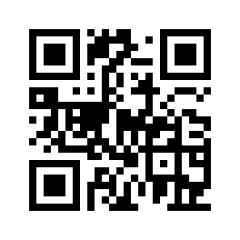
On a computer?
Scan to open blffd.com on your phone.